


MD A RAUF
very good
 (1 review)
 143 Lessons
 33 Students
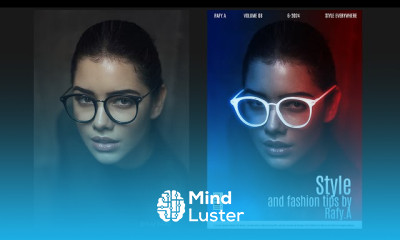
Glow effect editing in photoshop course, in this course we will learn about Glow effect editing in Photoshop, a powerful technique to add luminous highlights to your images and designs. Whether you're working on text, portraits, or objects, this course will guide you through creating stunning glowing effects that stand out. We'll explore tools like Outer Glow, Inner Glow, and Blend Modes to customize the intensity, color, and spread of the glow. You'll also learn to craft neon text effects, glowing edges, and soft light glows for fantasy or sci-fi-inspired artwork. The course covers how to blend the glow naturally into your composition, ensuring it enhances the subject without overpowering it. Additionally, we'll touch on advanced techniques like creating glowing light trails and applying realistic lighting to nighttime scenes. By the end, you'll be equipped with the skills to transform ordinary images into eye-catching, glowing masterpieces that bring a unique vibrancy to your digital art projects. Join us to master glowing effects in Photoshop.
 To Register in Course you have to watch at least 30 Second of any lesson
 Create luminous glow effects using Outer Glow and Inner Glow tools in Photoshop for various design projects
Apply blend modes and layer styles to enhance glow effects in text, portraits, and objects effectively
Design neon text effects with customizable colors, spread, and glow intensity for vibrant digital artwork
Develop glowing edges and soft light glows to add depth and realism to fantasy and sci-fi scenes
Integrate glow effects seamlessly into compositions to highlight subjects without overpowering the design
Create realistic glowing light trails and lighting effects for nighttime scenes in Photoshop
Adjust glow parameters to achieve natural and visually appealing luminous highlights in images
Utilize advanced techniques to craft glowing effects that enhance visual storytelling and artistic expression
Combine multiple glow effects to produce complex, layered luminous designs in digital art
Apply masking and blending techniques to control glow visibility and integration within compositions
Create glowing effects on text and objects that are suitable for branding and promotional materials
Use adjustment layers to fine-tune color, brightness, and contrast of glow effects for desired impact
Implement non-destructive editing methods to experiment with glow effects without damaging original images
Design sci-fi and fantasy-inspired artwork with realistic glowing elements for immersive visual effects
Create animated glow effects for digital projects using Photoshop’s animation tools and techniques
Troubleshoot common issues with glow effects to ensure professional-quality results in various projects
143 Lessons • 29 h 33 m total

 You must have an
Account
on the platform.
Complete all lessons.
Watch at least 50% of Lesson Duration.
Get your Certificate free 🎉 !
5.0
(1 review)
Overall rating

Be the First One Review This Course
very good

Glow effect editing in photoshop course, in this course we will learn about Glow effect editing in Photoshop, a powerful technique to add luminous highlights to your images and designs. Whether you're working on text, portraits, or objects, this course will guide you through creating stunning glowing effects that stand out. We'll explore tools like Outer Glow, Inner Glow, and Blend Modes to customize the intensity, color, and spread of the glow. You'll also learn to craft neon text effects, glowing edges, and soft light glows for fantasy or sci-fi-inspired artwork. The course covers how to blend the glow naturally into your composition, ensuring it enhances the subject without overpowering it. Additionally, we'll touch on advanced techniques like creating glowing light trails and applying realistic lighting to nighttime scenes. By the end, you'll be equipped with the skills to transform ordinary images into eye-catching, glowing masterpieces that bring a unique vibrancy to your digital art projects. Join us to master glowing effects in Photoshop.
Experience the full power of Mindluster with Premium.
No distractions, just pure education.
Cancel your subscription anytime