

MOHAMED FAHEEm
Super good learning
 (13 reviews)
 10 Lessons
 193 Students
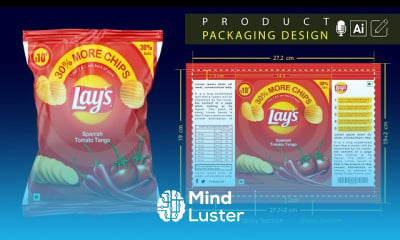
Product Packaging design in Illustrator course, in this course you will dive into the world of product packaging design using Adobe Illustrator. Starting from the basics, you'll learn how to create compelling and professional packaging designs that effectively communicate a brand’s identity. The course covers everything from setting up your design space, creating die lines, and selecting the right color schemes, to more advanced techniques like using 3D mockups and illustrations to bring your packaging to life. You’ll also explore typography, patterns, and custom shapes that make a design stand out on the shelf. Special focus will be given to ensuring your packaging design is print-ready, learning about color modes, print formats, and proper file export settings to meet professional printing standards. This course is perfect for beginners and intermediate users alike, providing hands-on projects that allow you to apply the knowledge you gain in real-world scenarios. By the end, you’ll have the skills to create stunning packaging designs that not only look great but also serve their practical purpose effectively.
 To Register in Course you have to watch at least 30 Second of any lesson
 Create professional product packaging designs using Adobe Illustrator with advanced techniques and industry standards
Develop compelling branding elements, including typography, patterns, and custom shapes for packaging projects
Design accurate die lines and prepare print-ready files adhering to professional printing specifications
Apply color schemes, color modes, and export settings to ensure high-quality, print-ready packaging outputs
Utilize 3D mockups and illustrations to visualize packaging designs in real-world retail environments
Implement practical skills for creating eye-catching packaging that effectively communicates brand identity
10 Lessons • 2 h 24 m total
 You must have an
Account
on the platform.
Complete all lessons.
Watch at least 50% of Lesson Duration.
Get your Certificate free 🎉 !
4.6
(13 reviews)
Overall rating

Be the First One Review This Course
Super good learning

A wonderful journey by enrolling this course

Good

good

I was taught a lot of thing on graphic design
Great

Excellent

Nice

nice experience

Excellent

Very Nice

Great

Product Packaging design in Illustrator course, in this course you will dive into the world of product packaging design using Adobe Illustrator. Starting from the basics, you'll learn how to create compelling and professional packaging designs that effectively communicate a brand’s identity. The course covers everything from setting up your design space, creating die lines, and selecting the right color schemes, to more advanced techniques like using 3D mockups and illustrations to bring your packaging to life. You’ll also explore typography, patterns, and custom shapes that make a design stand out on the shelf. Special focus will be given to ensuring your packaging design is print-ready, learning about color modes, print formats, and proper file export settings to meet professional printing standards. This course is perfect for beginners and intermediate users alike, providing hands-on projects that allow you to apply the knowledge you gain in real-world scenarios. By the end, you’ll have the skills to create stunning packaging designs that not only look great but also serve their practical purpose effectively.
Experience the full power of Mindluster with Premium.
No distractions, just pure education.
Cancel your subscription anytime


















