


Johnbosco Chibuike Kevin Orjioke
At your pace.
 (168 reviews)
 3 Lessons
 288 Students
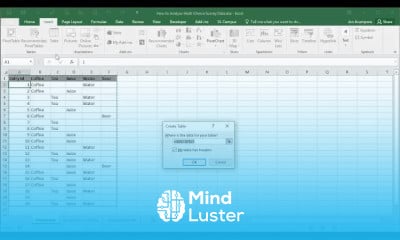
Survey data analysis in excel course, in this course we will learn about the Survey Data Analysis in Excel, an essential skill for anyone looking to interpret and present survey results effectively. This course is designed for individuals who want to harness the power of Excel to clean, analyze, and visualize survey data efficiently. We will start with the basics, including importing and organizing survey data within Excel. You will learn how to clean and prepare your data, ensuring accuracy and consistency. The course will cover the creation and use of Pivot Tables to summarize survey responses, as well as the use of various Excel formulas to perform in-depth data analysis. We will also explore advanced techniques for visualizing survey results using charts and graphs, making it easier to communicate your findings. The course will guide you through creating interactive dashboards that allow for dynamic data exploration and reporting. Additionally, we will delve into statistical analysis, helping you to uncover trends and insights from your survey data. Practical examples and hands-on exercises will solidify your understanding and equip you with the skills needed to apply these techniques to real-world survey data. By the end of this course, you will be proficient in using Excel to analyze survey data, enabling you to make data-driven decisions and present your findings in a clear and impactful manner. Whether you are a beginner or have some experience with Excel, this course will enhance your ability to analyze and interpret survey data effectively.
 To Register in Course you have to watch at least 30 Second of any lesson
 Master how to import, organize, and clean survey data in Excel for accurate analysis and reporting
Utilize Pivot Tables and formulas to summarize and interpret survey responses efficiently
Create compelling charts, graphs, and interactive dashboards to visualize survey results clearly
Apply statistical techniques to identify trends, insights, and data-driven decisions from survey data
3 Lessons • 15 m total
You must have an
Account
on the platform.
Complete all lessons.
Watch at least 50% of Lesson Duration.
Get your Certificate free 🎉 !
4.2
(168 reviews)
Overall rating

Be the First One Review This Course
At your pace.

compleated V.good
Completed

nice

Useful

Good
AMAZING

Computer scinse

Computer science
Kfsilk yxdnii xgnv btcj vc

Good

This is really interesting, thank you.

Survey data analysis in excel course, in this course we will learn about the Survey Data Analysis in Excel, an essential skill for anyone looking to interpret and present survey results effectively. This course is designed for individuals who want to harness the power of Excel to clean, analyze, and visualize survey data efficiently. We will start with the basics, including importing and organizing survey data within Excel. You will learn how to clean and prepare your data, ensuring accuracy and consistency. The course will cover the creation and use of Pivot Tables to summarize survey responses, as well as the use of various Excel formulas to perform in-depth data analysis. We will also explore advanced techniques for visualizing survey results using charts and graphs, making it easier to communicate your findings. The course will guide you through creating interactive dashboards that allow for dynamic data exploration and reporting. Additionally, we will delve into statistical analysis, helping you to uncover trends and insights from your survey data. Practical examples and hands-on exercises will solidify your understanding and equip you with the skills needed to apply these techniques to real-world survey data. By the end of this course, you will be proficient in using Excel to analyze survey data, enabling you to make data-driven decisions and present your findings in a clear and impactful manner. Whether you are a beginner or have some experience with Excel, this course will enhance your ability to analyze and interpret survey data effectively.
Experience the full power of Mindluster with Premium.
No distractions, just pure education.
Cancel your subscription anytime


















