Fixing HP Red Light beep Problem Course

 (100 reviews)
-
 112 Lessons
-
 17 Students
- Certificate of completion


Fixing HP Red Light beep course, in this course designed to address the common issue of a red light accompanied by beeping sounds on HP devices. This course provides comprehensive guidance on diagnosing the root cause of this problem and implementing effective solutions to resolve it. Whether it's due to hardware failures, overheating, or other underlying issues, you'll learn step-by-step approaches to troubleshoot and fix the red light beep issue on HP devices. By the end of this course, you'll be equipped with the knowledge and skills needed to resolve this frustrating problem, ensuring optimal performance and reliability of your HP device. Let's dive into the course and start fixing the HP red light beep issue today.
 To Register in Course you have to watch at least 30 Second of any lesson
What You'll Learn
-
 Identify common causes of HP red light and beep errors for accurate diagnosis and troubleshooting
-
Diagnose hardware failures, overheating, and other issues causing HP red light and beep alerts effectively
-
Apply step-by-step troubleshooting techniques to resolve HP red light and beep problems efficiently
-
Implement hardware repairs and replacements to fix HP red light and beep error signals successfully
-
Utilize diagnostic tools and software to detect underlying issues in HP devices with red light and beeping sounds
-
Prevent future HP red light and beep problems through maintenance, cleaning, and proper device handling
-
Interpret error codes and LED indicators on HP devices to determine specific fault conditions accurately
-
Develop troubleshooting strategies for various HP device models to resolve red light and beep issues reliably
-
Enhance device performance and stability by addressing hardware and thermal issues causing red light and beeps
-
Perform safe disassembly and reassembly of HP devices to access components for repair and troubleshooting
-
Identify signs of hardware failure that trigger red light and beeping alerts on HP laptops and desktops
-
Utilize online resources and manuals to support troubleshooting and repair of HP red light and beep issues
-
Implement preventive measures to minimize the risk of hardware failures leading to red light and beep alerts
-
Diagnose power supply and battery issues contributing to red light and beeping signals on HP devices
-
Apply best practices for cleaning and maintaining HP hardware to prevent overheating and related errors
-
Document troubleshooting steps and repairs for future reference and warranty purposes
Course Content
112 Lessons • 6 h 18 m total

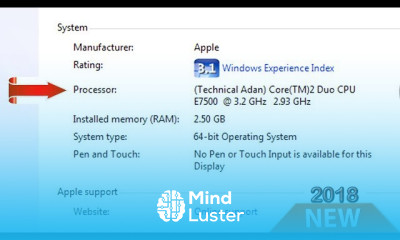
How to change processor CPU name in Windows permanently 2018
Important Computer Beep Codes
HOW TO CHECK THE BIOS VERSION Find BIOS Version technical adan
HOW TO FIX BLUE SCREEN ERROR EASY SOLUTION
How to find your Motherboard Model Number
Best Gaming Hard Drive Buying Advice
How to Clear Remove All BIOS Password Easy steps works
How to Check Replace a Capacitor Desoldering and Soldering a Capacitor
Computer disassembly assembly Dell Optiplex 960
SMPS Switched Mode Power Supply Problems and Solutions
How To Repair Computer Power Supply SMPS 100 working
How to Fix Overheating HP Compaq 8000 Elite Desktop Technical Adan
How to Fixed HP Red Light Beep Problem Solved 100 Technical Adan
How to Install Intel CPU Cooler Fan on Motherboard l Technical Adan
How to Replace CMOS Battery Broken holder by Technical Adan
How to Remove l Clear l Unlock or Reset BIOS Password Acer Dell HP ASUS etc
How to Solved Reboot and select proper boot device error just 3 Solutions problem Solved
How to Fix Press F1 Error to Continue When Booting 100 Solution
How to fix computer automatic shutdown problem 100 Solution ll Technical Adan ll
Internal hard disk drive not found To resolve this issue try to reseat the drive Solutions 100
Hard disk circuit board replacement for recover data l change PCB Non detected Hard drive board
No Device Drivers Were Found Windows Installation Problem l FIXED ll Technical Adan
How To Repair Not Detected Hard Drive
System Fan Can Not Be Detected ll HP ll ERROR ll Shut down Problem SOLVED ll TECHNICAL ADAN
How to Fix Dell OptiPlex 9010 Orange Light 100 Technical Adan
How to clean RAM Processor No Display Problem Eraser Make it Super fast Technical Adan
How to Remove hide or unhide the Windows System Reserved Partition Windows 7 8 1 10
Power Supply Fan Replacement PSU Fan Not Spinning How to Fix it Solved Technical Adan
TOP 5 Common Hardware Problems Computer Laptop Solution Hindi Urdu Technical Adan
Intel Core i3 Motherboard No beep No post No Display 100 Solved Technical Adan
No boot device available Dell Fix How To Fix No Bootable Device Boot Device Not Found
How to Enable USB Drive Boot in BIOS Can t boot from USB Boot from USB flash drive 100
How to Start Computer without using a power button 100 Working 2020 technical adan
How to Disable automatic Disk Check In windows 7 8 1 10
515 Power supply fan not detected Fix 100
918 front USB not connected 917 Front Audio Not Connected Error Fix 100 Technical Adan
513 front chassis fan not detected Error Solved 100
HP POST Error Messages with Solution 100 working action
ALL COMPUTER RELATED FULL FORM Full Short Forms You Should Know 2020 Update Technical Adan
How to fix boot error PXE E61 Media test failure check cable Boot Device Not Found 2020

How to Get The Certificate
-
You must have an
Account
on the platform.
-
Complete all lessons.
-
Watch at least 50% of Lesson Duration.
-
Get your Certificate free 🎉 !
4.8
(100 reviews)
Overall rating

Reviews
Be the First One Review This Course
Related Courses
View All


















Fixing HP Red Light beep Problem Course Description
Fixing HP Red Light beep course, in this course designed to address the common issue of a red light accompanied by beeping sounds on HP devices. This course provides comprehensive guidance on diagnosing the root cause of this problem and implementing effective solutions to resolve it. Whether it's due to hardware failures, overheating, or other underlying issues, you'll learn step-by-step approaches to troubleshoot and fix the red light beep issue on HP devices. By the end of this course, you'll be equipped with the knowledge and skills needed to resolve this frustrating problem, ensuring optimal performance and reliability of your HP device. Let's dive into the course and start fixing the HP red light beep issue today.
Focus on Learning, Not Ads
Experience the full power of Mindluster with Premium.
No distractions, just pure education.
Cancel your subscription anytime
